How to Create a Weekly Business Dashboard You’ll Actually Use
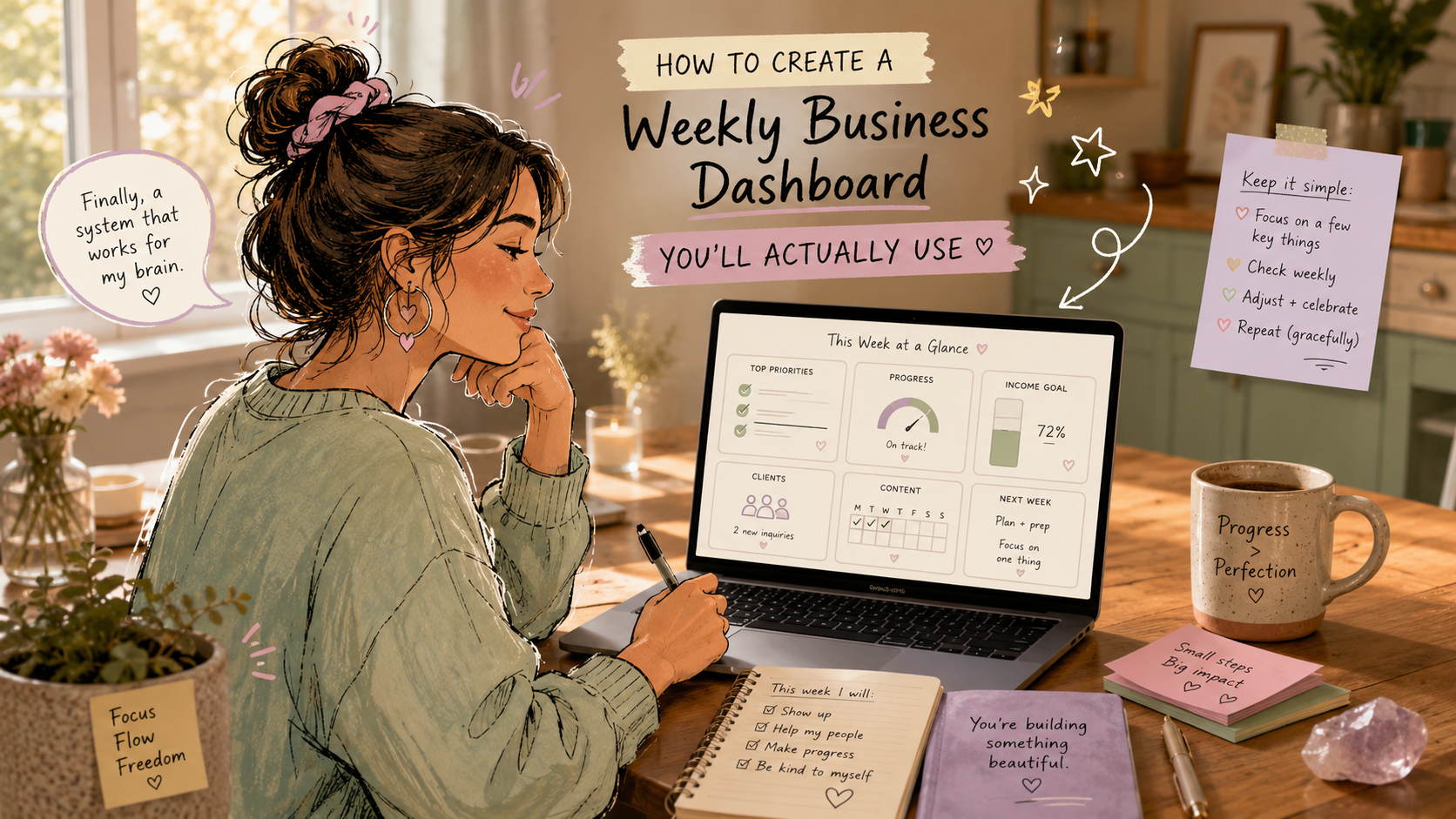
Running a business by yourself is a lot. Running a business by yourself while also managing ADHD, executive dysfunction, time blindness, sensory overload, task switching, or decision fatigue? Whew. That’s a whole different ball game.
You’re not just doing “the work.” You’re also the marketing department, sales team, bookkeeper, customer service rep, strategist, admin assistant, and motivational speaker for yourself on the days when your brain says, “Nope, not today.”
That’s where a weekly business dashboard can help.
Not the corporate kind with 47 graphs, confusing formulas, and color-coded chaos. Nope. We’re talking about a simple, practical weekly business dashboard you’ll actually use. One that gives you a quick snapshot of your business without making you want to close your laptop and go reorganize your junk drawer instead.
A good dashboard helps you answer three important questions:
- What happened this week?
- What needs my attention?
- What should I do next?
That’s it. No overthinking. No drowning in data. No pretending you’re going to update a spreadsheet with 22 tabs every Friday afternoon when, let’s be real, you absolutely won’t.
Let’s build a dashboard that works with your brain, not against it.
Why Solopreneurs Need a Weekly Business Dashboard
When you’re a solopreneur, it’s easy to run your business based on feelings.
One slow sales day can make you think your whole business is falling apart. One great client inquiry can make you feel like you’re booked for the next six months. One unopened email can somehow become a personal moral failure.
Brains are dramatic sometimes.
A weekly business dashboard gives you something more reliable than mood-based business management. It gives you facts. Not too many facts, but enough to see what’s really going on.
For small business owners with ADHD or neurodivergence, this matters because your brain may struggle with:
- Remembering what happened last week
- Tracking progress over time
- Prioritizing tasks when everything feels urgent
- Starting admin tasks that feel boring or unclear
- Estimating how long things take
- Separating emotions from actual business data
A dashboard becomes your external brain. It holds the information so you don’t have to keep juggling it mentally.
Instead of thinking, “I feel like I’m not making progress,” you can look at your dashboard and say, “Actually, I sent 4 proposals, gained 8 email subscribers, and followed up with 3 leads this week.”
That’s grounding. And honestly, grounding is underrated.
What Is a Weekly Business Dashboard?

A weekly business dashboard is a simple place where you track your most important business numbers once a week.
It can be a spreadsheet, Notion page, Google Doc, whiteboard, printable worksheet, Trello board, Airtable base, or even a sticky note system. The tool doesn’t matter as much as whether you’ll actually use it.
Your weekly dashboard should show you the key areas of your business at a glance, such as:
- Revenue
- Leads or inquiries
- Sales calls or proposals
- Website traffic
- Email list growth
- Content published
- Client work completed
- Outstanding tasks
- Energy level or capacity
Yes, energy level counts.
For neurodivergent solopreneurs, business performance is not just about money and metrics. Your capacity matters too. If you made $3,000 this week but burned yourself to a crisp doing it, that’s important data. If you only worked 12 focused hours but completed your highest-priority tasks, that’s also important data.
A useful dashboard doesn’t just track output. It helps you notice patterns.
The Biggest Mistake: Tracking Too Much
Here’s where many dashboards go off the rails.
You get excited. You open a fresh spreadsheet. You start adding columns. Revenue, expenses, profit, website visitors, Instagram followers, LinkedIn impressions, email subscribers, conversion rates, hours worked, sales calls, invoices, product ideas, content topics, client notes, monthly goals, quarterly goals, yearly goals...
Suddenly, your “simple dashboard” has become a digital monster.
And what happens next?
You avoid it.
Not because you’re lazy. Not because you’re bad at business. Because it’s too much.
For ADHD and neurodivergent brains, too many inputs can create instant shutdown. The dashboard becomes another task that requires sorting, filtering, deciding, remembering, and updating. That’s a lot of executive function for a tool that was supposed to make your life easier.
So here’s the rule:
Track only what helps you make decisions.
That’s the whole thing.
If a metric doesn’t help you decide what to do next, leave it out.
For example, tracking Instagram likes might feel interesting, but does it help you make a business decision? Maybe not. Tracking how many people booked a consultation after reading your posts? Much more useful.
Vanity metrics can be sneaky. They look productive, but they don’t always help you run your business better.
Choose 5 to 7 Metrics Max
Your weekly business dashboard should be small enough to update in 10 minutes or less.
A good starting point is 5 to 7 core metrics. That’s enough to see the health of your business without creating a second job for yourself.
Here are some strong dashboard metrics for solopreneurs:
1. Revenue This Week
This is the money that actually came in. Not what you invoiced. Not what someone said they might pay. Actual received revenue.
Tracking weekly revenue helps you spot patterns before they become problems.
For example:
- Are sales dipping every month around the same time?
- Did a launch create a revenue spike?
- Are you relying too heavily on one client?
- Are you bringing in enough to cover expenses?
Keep this simple. You don’t need a fancy finance report. Just write the number.
2. Leads or Inquiries
How many people showed interest in working with you or buying from you?
This might include:
- Contact form submissions
- Discovery call bookings
- Direct messages asking about services
- Email replies from potential clients
- Referrals
- Product waitlist signups
Leads are useful because they show future revenue potential. If your revenue is low this week but inquiries are up, you may not need to panic. If both revenue and leads are low for several weeks, it may be time to focus on visibility or outreach.
3. Sales Actions Taken
This one is especially helpful for ADHD solopreneurs because it tracks what you can control.
Sales actions might include:
- Follow-up emails sent
- Proposals delivered
- Discovery calls completed
- Past clients contacted
- Offers shared
- Sales pages updated
You can’t fully control whether someone buys. But you can control whether you follow up, make offers, and invite people to work with you.
Tracking sales actions can reduce the shame spiral of “I’m not making enough money” and turn it into “I need to take more sales-supporting actions.”
That’s way more useful.
4. Content or Marketing Published
Marketing consistency can be tough when your brain loves novelty but hates repetition.
Your dashboard can help you see whether you’re actually showing up, without relying on memory.
Track things like:
- Blog posts published
- Emails sent
- Social posts shared
- Podcasts recorded
- Videos uploaded
- Networking messages sent
Don’t track every tiny detail. Just count the meaningful marketing actions.
For example, “3 posts, 1 email, 1 blog” is enough.
5. Email List Growth
Social media platforms are noisy and unpredictable. Your email list is usually a more reliable business asset.
Each week, track:
- New subscribers
- Unsubscribes
- Total list size
If you don’t have an email list yet, no worries. You can swap this metric for another visibility metric, such as website visitors or consultation bookings.
6. Client Delivery or Product Progress
This metric helps you keep your promises.
Track what you delivered this week, such as:
- Client projects completed
- Orders shipped
- Sessions held
- Products updated
- Courses built
- Customer requests handled
This is especially helpful if you tend to forget how much you actually did. Many neurodivergent entrepreneurs underestimate their work because completed tasks disappear from their brain the second they’re done.
Writing them down gives your effort a paper trail.
7. Energy and Capacity
This might be the most underrated dashboard metric of all.
Each week, rate your energy from 1 to 5.
For example:
1 = barely functioning
2 = low capacity
3 = steady enough
4 = good energy
5 = highly focused and energized
Then add a short note: “slept poorly,” “too many meetings,” “great creative week,” “needed more breaks,” or “overbooked.”
Over time, this helps you notice patterns. Maybe client calls drain you more than expected. Maybe you do your best marketing on Tuesdays. Maybe your revenue dips after weeks when you ignore rest.
That’s not fluff. That’s business intelligence.
Build a Dashboard Around Questions, Not Just Numbers
A dashboard full of numbers is fine. But a dashboard that answers questions is better.
Instead of asking, “What should I track?” ask, “What do I need to know every week?”
Try these questions:
Is money coming in?
Track revenue received.
Is future money likely?
Track leads, inquiries, sales calls, or proposals.
Am I marketing consistently?
Track content, emails, outreach, or visibility actions.
Am I delivering what I promised?
Track client work, product orders, or service delivery.
Am I okay?
Track energy, stress, workload, or capacity.
That last question matters. A business that only works when you’re pushing yourself past your limits is not sustainable.
A Simple Weekly Business Dashboard Template

Here’s a clean dashboard layout you can copy into Google Sheets, Notion, Airtable, or even a notebook.
Weekly Dashboard
Week of:
Revenue received:
New leads/inquiries:
Sales actions taken:
Marketing published:
Email subscribers gained:
Client/product delivery completed:
Energy rating:
Biggest win:
Biggest friction point:
One priority for next week:
That’s it.
Simple? Yes.
Powerful? Also yes.
The magic is not in the complexity. The magic is in checking it regularly.
Make It ADHD-Friendly
A weekly business dashboard for ADHD brains needs to be easy to start, easy to update, and easy to understand later.
Here’s how to make that happen.
Use Color Carefully
Color can be helpful, but too much color turns into visual noise.
Try a simple traffic light system:
- Green = good or on track
- Yellow = needs attention
- Red = urgent or off track
For example, revenue might be green if you hit your weekly target, yellow if you came close, and red if it dropped significantly.
But don’t color-code 18 categories. That’s a fast ticket to overwhelm town.
Keep It on One Page
Your dashboard should fit on one screen or one printed page.
If you have to click through multiple tabs, scroll forever, or open five different tools, you probably won’t use it.
One page. One place. One quick check-in.
Use Checkboxes Where Possible
Checkboxes are satisfying. They also reduce decision fatigue.
Instead of writing long notes every week, use checkboxes for repeated actions:
- Sent newsletter
- Followed up with leads
- Reviewed finances
- Posted content
- Checked client deadlines
- Planned next week
A checked box gives your brain a little dopamine boost. Hey, we’ll take it.
Add a “Bare Minimum” Version
Some weeks will be messy. You might be tired, sick, overstimulated, traveling, or deep in a client deadline.
Your dashboard needs a low-energy version.
On tough weeks, only fill out:
- Revenue
- Leads
- Sales actions
- One priority for next week
That’s enough.
A partial dashboard is better than an abandoned dashboard.
Pair It With an Existing Routine
Don’t rely on memory. Attach your dashboard update to something you already do.
For example:
- Friday after sending invoices
- Monday morning before checking email
- Sunday evening planning session
- After your weekly money check-in
- Before your first client call of the week
This is called habit stacking, and it works because you’re not creating a brand-new routine from scratch. You’re attaching the dashboard to an existing rhythm.
Pick the Right Tool
The best dashboard tool is the one you’ll open.
Not the fanciest one. Not the one productivity influencers are raving about. The one that feels easiest to use when your brain is tired.
Here are a few good options.
Google Sheets
Great for simple tracking, formulas, and weekly comparisons. It’s free, flexible, and easy to customize.
Best for: numbers, revenue, leads, weekly trends.
Notion
Great if you like a clean workspace with databases, notes, and checklists in one place.
Best for: visual thinkers, planning, mixed notes and metrics.
Trello
Great if you prefer cards and boards instead of spreadsheets.
Best for: task-based dashboards and visual workflows.
Paper Planner or Whiteboard
Yes, analog counts.
Best for: people who hate digital tools, need visual reminders, or forget dashboards exist unless they’re physically visible.
Airtable
Great for more advanced tracking without going full spreadsheet mode.
Best for: people who want structure, filtering, and database-style views.
Don’t spend three weeks choosing the perfect tool. That’s productive procrastination wearing a fake mustache.
Pick one and start.
How to Review Your Dashboard Each Week
Updating the dashboard is only half the job. The real value comes from reviewing it.
Set aside a few minutes each week and ask:
- What worked this week?
- What felt harder than it needed to be?
- What number needs attention?
- What pattern am I noticing?
- What is the one priority for next week?
The “one priority” part is important.
For solopreneurs with ADHD, too many priorities can turn into no priorities. Your dashboard should help you choose the next best move.
For example:
- If leads are low, next week’s priority may be outreach.
- If revenue is strong but energy is low, next week’s priority may be rest and boundaries.
- If inquiries are high but sales are low, next week’s priority may be improving your follow-up process.
- If marketing is inconsistent, next week’s priority may be creating one repeatable content system.
One dashboard. One decision. One next step.
That’s the sweet spot.
Common Dashboard Mistakes to Avoid
Even a simple weekly business dashboard can become unhelpful if you accidentally turn it into a guilt machine.
Avoid these common mistakes.
Mistake 1: Tracking Metrics You Don’t Care About
Just because another business owner tracks something doesn’t mean you should.
If podcast downloads don’t matter to your business, don’t track them. If social media followers don’t lead to sales, don’t obsess over them.
Track what supports your goals.
Mistake 2: Making It Too Pretty
Pretty dashboards are fun. But useful beats pretty every time.
If designing the dashboard becomes a way to avoid using the dashboard, simplify it.
Done is better than decorated.
Mistake 3: Turning It Into a Performance Review
Your dashboard is not there to judge you. It’s there to guide you.
Low revenue is data. Low energy is data. Missed marketing is data.
You’re not failing. You’re noticing.
That mindset shift matters.
Mistake 4: Updating It Too Often
Daily tracking can be helpful for some people, but for many ADHD solopreneurs, it quickly becomes too much.
Weekly is often the sweet spot. It’s frequent enough to catch issues, but not so frequent that you feel monitored by your own spreadsheet.
Mistake 5: Forgetting to Celebrate Wins
Please track your wins.
Seriously.
Neurodivergent business owners often move from task to task without pausing to acknowledge progress. Your dashboard should include a “biggest win” section every week.
Examples:
- Sent a scary follow-up
- Finished a client project
- Rested instead of overworking
- Made a sale
- Asked for help
- Simplified an offer
- Posted consistently
- Said no to a bad-fit client
Wins create momentum. Momentum keeps the dashboard alive.
Example Weekly Business Dashboard for a Solopreneur
Here’s what a filled-out dashboard might look like.
Week of: March 4
Revenue received: $1,850
New leads/inquiries: 3
Sales actions taken: Sent 2 proposals, followed up with 4 warm leads
Marketing published: 1 blog post, 2 LinkedIn posts, 1 email newsletter
Email subscribers gained: 12
Client/product delivery completed: Finished website audit, delivered 2 coaching sessions
Energy rating: 3/5
Biggest win: Followed up without overthinking it
Biggest friction point: Too many meetings back-to-back
One priority for next week: Create a better call schedule with breaks
Notice how simple that is?
You don’t need a complicated report to learn something useful. This dashboard shows that sales activity is happening, revenue came in, marketing was consistent, and meeting structure needs improvement.
That’s enough to make a smart next move.
How to Keep Using Your Dashboard Long-Term

The goal isn’t to create a dashboard once. The goal is to keep using it.
Here’s how to make that easier.
Make It Visible
Bookmark it. Pin it. Print it. Put it on your wall. Add it to your browser homepage. Place it somewhere you won’t forget it exists.
Out of sight often means out of mind, especially with ADHD.
Make It Fast
Your weekly update should take 10 minutes or less.
If it takes longer, remove something.
Make It Forgiving
Missed a week? Just start again.
Don’t create a “catch-up dashboard” where you try to reconstruct the past three weeks from memory. That’s a trap.
Skip the missing week and move forward.
Make It Useful
Every month, ask yourself: “Did this dashboard help me make better decisions?”
If not, adjust it.
Your dashboard should serve you. You are not here to serve the dashboard.
External Resources Worth Exploring
Here are a few helpful resources related to business tracking, ADHD-friendly productivity, and simple systems:
- CHADD: ADHD and Adults
- ADDitude Magazine: ADHD Productivity Tips
- Google Sheets Templates
- Notion Templates
- Trello for Small Business
Use these as inspiration, not as another rabbit hole. Your dashboard does not need to become a full productivity makeover.
FAQs About Weekly Business Dashboards
What should a small business dashboard include?
A small business dashboard should include the few metrics that help you make better decisions. For most solopreneurs, that means revenue, leads, sales actions, marketing activity, client delivery, and energy or capacity. Keep it simple and focused.
How often should I update my business dashboard?
Once a week is usually enough. A weekly business dashboard helps you notice trends without making tracking feel like a daily chore. Pick a consistent day and pair it with an existing routine.
What is the best dashboard tool for ADHD solopreneurs?
The best dashboard tool is the one you’ll actually use. Google Sheets is great for simple numbers, Notion is helpful for visual organization, Trello works well for task-based tracking, and a paper planner or whiteboard can be perfect if digital tools feel overwhelming.
How many metrics should I track?
Start with 5 to 7 metrics. Any more than that can become overwhelming. You can always add more later, but it’s better to begin with a dashboard that feels easy and approachable.
What if I forget to update my dashboard?
Just restart. Don’t waste energy feeling guilty or trying to recreate every missing detail. A dashboard is a support tool, not a test. Missed weeks happen. Pick up where you are.
Should I track energy and mood in my business dashboard?
Yes, especially if you have ADHD or another neurodivergent working style. Energy, stress, focus, and capacity affect your business performance. Tracking them helps you build a business that works with your real life.
Final Thoughts: Build a Dashboard Your Brain Doesn’t Hate
A weekly business dashboard should not feel like punishment. It should feel like relief.
It’s not there to shame you, overwhelm you, or prove you’re behind. It’s there to help you see clearly. For solopreneurs with ADHD and other neurodivergence, that clarity can be a game changer.
You don’t need a complex system. You don’t need perfect data. You don’t need to track every tiny business detail.
You need a simple weekly check-in that tells you:
- What happened?
- What matters?
- What comes next?
Start small. Track only what helps. Make it visual. Keep it forgiving. And above all, build a weekly business dashboard that your actual brain can use on an actual Tuesday when life is already a lot.
Because the best dashboard isn’t the fanciest one.
It’s the one you’ll come back to next week.
Need a gentler way to get unstuck? Try our free ADHD Business Reset to clear the mental clutter, choose your next best step, and rebuild momentum without shame.
-
Posted in
ADHD, attention deficit disorder, attention deficit hyperactivity disorder, AuDHD, low-energy, minimally viable system, time management
