A Gentle CRM System for ADHD Coaches and Consultants
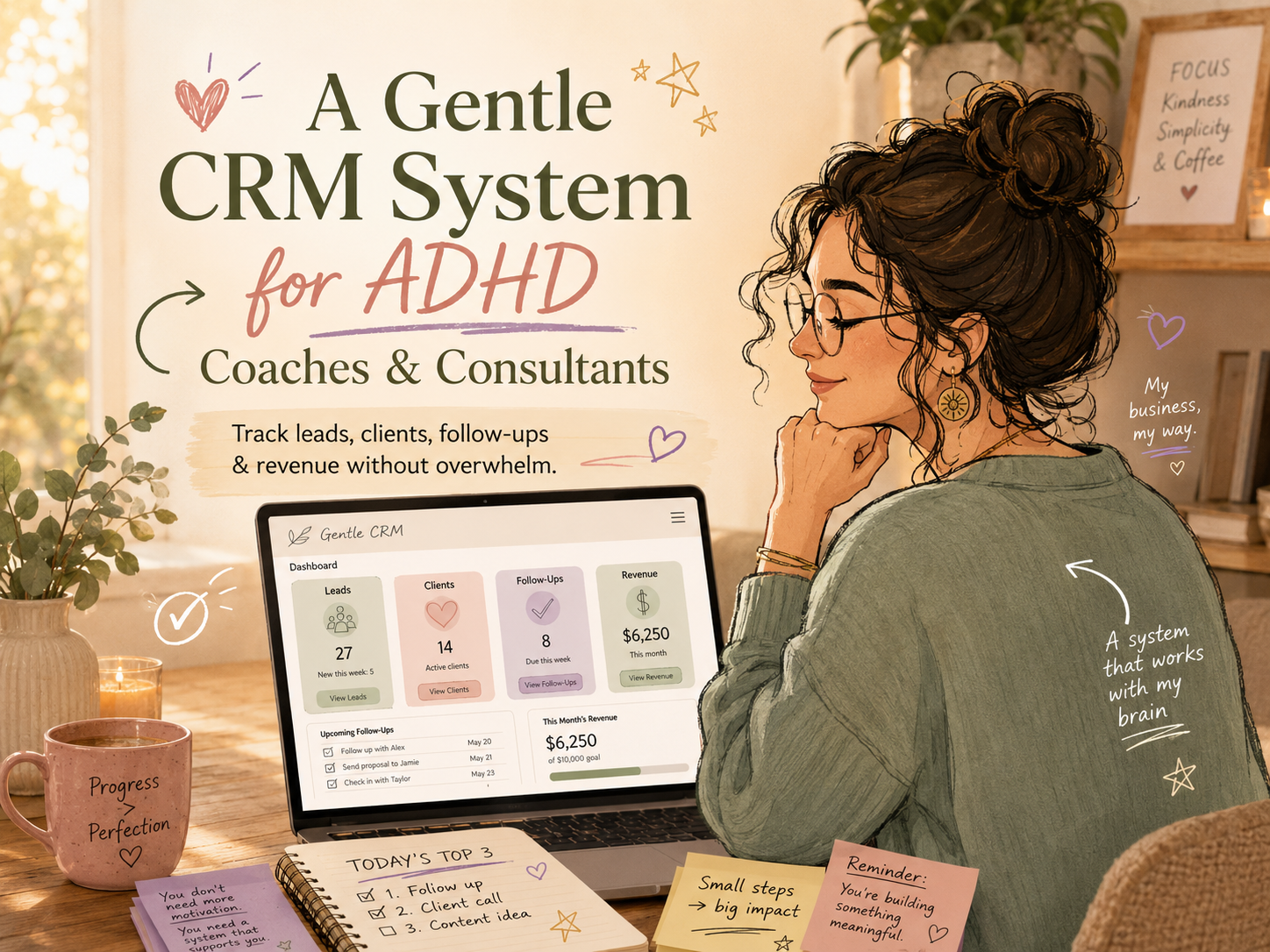
Running a coaching or consulting business with ADHD or another neurodivergent brain can feel like holding 27 browser tabs open in your mind at all times.
You’re thinking about the client who needs a follow-up. The lead who said, “Circle back next month.” The invoice you meant to check. The proposal you sent but forgot to track. The discovery call notes buried somewhere in a notebook, Google Doc, inbox, or, let’s be real, the mysterious land of “I’ll remember that.”
And then there’s the emotional layer.
You may not just forget follow-ups. You may feel awful about forgetting them. You may not just avoid your CRM. You may feel like the fact that you avoid it means something bad about you as a business owner.
It doesn’t.
Most traditional CRM systems were not built with ADHD brains in mind. They are often too complex, too salesy, too visually crowded, or too rigid. For coaches and consultants who care deeply about people, relationships, and meaningful work, a typical CRM can feel like trying to squeeze your business into a corporate spreadsheet wearing a stiff blazer.
But you still need a way to track your clients, leads, conversations, revenue, and next steps.
That’s where a gentle CRM system comes in.
A gentle CRM helps you manage your coaching or consulting business without turning relationship-building into an overwhelming admin project. It gives your brain a simple place to land. It supports follow-through. It helps you make business decisions without relying on memory, panic, or last-minute adrenaline.
And nope, it does not need to be complicated.
If you’re ready for a done-for-you ADHD-friendly setup, the Coaching/Consultant Pro LiteFolio was designed for exactly this kind of business: client tracking, revenue visibility, and a calmer dashboard in one place.
What Is a CRM System, Really?
CRM stands for customer relationship management. Fancy phrase, simple idea.
A CRM system is just a place where you track people connected to your business.
For coaches and consultants, that usually includes:
- Potential clients
- Current clients
- Past clients
- Referral partners
- Discovery calls
- Proposals
- Follow-ups
- Payments or revenue
- Client notes
- Next steps
In other words, your CRM is your business memory.
And if you have ADHD, that matters a lot.
A CRM is not just about sales. It is not just about “closing leads.” It is not about becoming pushy, robotic, or fake.
A gentle CRM system helps you care for the people in your business without carrying every single detail in your head.
That distinction is huge.
Because when your systems are too heavy, you avoid them. When your systems are too vague, you forget them. But when your systems are simple, visual, and kind? You’re much more likely to use them.
Why Traditional CRMs Often Do Not Work for ADHD Coaches and Consultants
Most CRMs promise organization, but they can accidentally create more friction.
You open the tool and see pipelines, automations, tags, lead scores, email sequences, required fields, dashboards, charts, deal stages, activity logs, and notifications everywhere.
Suddenly, the tool that was supposed to help you becomes another source of overwhelm.
For ADHD and neurodivergent solopreneurs, traditional CRMs can be difficult because they often require:
- Too many decisions upfront
- Too many fields to fill out
- Too many steps to update one client
- Too much visual clutter
- Too much maintenance
- Too much pressure to use the system “perfectly”
And when a system feels too big, the ADHD brain may do what it does best: avoid, delay, forget, or start building an entirely new system at 11:47 p.m. with 14 tabs open.
No shame. We’ve all met that version of ourselves.
The problem is not that you need to become more disciplined. The problem is that the system needs to become more humane.
A gentle CRM system works with your real habits, your real energy, your real memory, and your real business rhythm.
What Makes a CRM “Gentle”?

A gentle CRM is a client relationship system that reduces pressure instead of adding it.
It is built around clarity, not complexity.
A gentle CRM should feel:
- Easy to open
- Easy to update
- Easy to understand at a glance
- Forgiving when you miss a week
- Focused on relationships, not just revenue
- Supportive of your energy and capacity
- Simple enough to use on a low-focus day
That last one is important.
If your CRM only works when you are having a perfect brain day, it is not ADHD-friendly. Your system needs to support you when you are tired, distracted, overstimulated, busy, or between client calls.
A good CRM for ADHD coaches and consultants should answer a few simple questions:
Who needs my attention?
Who am I currently serving?
Who might become a client soon?
What money is coming in?
What is the next right step?
That’s it. That’s the heartbeat of the system.
Need a reset before building your system? Start with the free ADHD Business Reset to clear the mental clutter, choose your next best step, and rebuild momentum without shame.
The Core Parts of a Gentle CRM System
You do not need a massive CRM to run a successful coaching or consulting business.
You need a few key areas that help you keep track of the right people and the right actions.
Let’s break it down.
1. A Simple Lead Tracker
Your lead tracker is where you keep potential clients.
These are people who have shown interest in working with you, whether they booked a call, sent a message, downloaded a freebie, replied to an email, or asked about your services.
For ADHD coaches and consultants, this section needs to be very simple.
At minimum, track:
- Name
- Contact information
- Where they came from
- What they are interested in
- Current status
- Next follow-up date
- Notes
The “current status” part is especially helpful. Instead of trying to remember where everyone stands, you can use simple labels like:
- New inquiry
- Discovery call booked
- Proposal sent
- Follow-up needed
- Not now
- Won
- Lost
Keep the language plain. You do not need corporate pipeline terms if they make your eyes glaze over.
You can even use warmer labels, such as:
- Curious
- Conversation started
- Thinking it over
- Ready to begin
- Check back later
Your CRM should sound like you.
The goal is not to force yourself into someone else’s sales process. The goal is to create a clear path from “someone is interested” to “I know what to do next.”
2. A Current Client Tracker
Your current client tracker helps you see who you are actively serving.
This can include coaching clients, consulting clients, VIP day clients, retainer clients, group program members, or project-based clients.
For each client, track the basics:
- Client name
- Package or service
- Start date
- End date
- Session dates or project milestones
- Payment status
- Notes
- Next action
This section helps prevent those awful “Wait, did I send that?” moments.
It also helps you manage your energy.
For example, you may notice that you technically have five clients, but three of them require high emotional energy, one has a tight deadline, and one needs weekly support. That is important information.
A gentle CRM does not just tell you how many clients you have. It helps you understand your actual capacity.
Because let’s be honest: five clients can feel completely different depending on the type of work, communication style, urgency, and support required.
3. A Follow-Up System That Does Not Feel Awkward

Follow-ups are one of the biggest pain points for ADHD solopreneurs.
Not because you do not care. Usually, it is the opposite. You care so much that you overthink the message, delay sending it, and then feel weird because too much time has passed.
A gentle CRM makes follow-up easier by removing the need to remember.
Your system should track:
- Who needs a follow-up
- Why you are following up
- When to follow up
- What to say
The easiest way to do this is to create a “Follow-Up Needed” view or section.
Then, once or twice a week, check that section and send the next message.
You can also keep a few simple follow-up templates inside your CRM.
For example:
“Hi [Name], just checking in after our conversation. No pressure at all, but I wanted to see if you had any questions or if now still feels like the right time to explore support.”
Or:
“Hi [Name], I remembered you mentioned wanting to revisit this around [month]. Is this still something you’d like support with?”
See? Human. Warm. Not pushy.
Follow-up is not bothering people. Follow-up is helping people reconnect with something they already expressed interest in.
And if this part of your business feels scattered right now, the Coaching/Consultant Pro LiteFolio can help you bring leads, client notes, follow-ups, revenue, and dashboard visibility into a calmer system.
4. A Revenue Tracker You Can Actually Look At
Money tracking can bring up a lot.
For ADHD entrepreneurs, it may come with avoidance, shame, confusion, or emotional whiplash. One good sales week can feel like you’re unstoppable. One quiet week can feel like the business is doomed.
That is why a gentle CRM should include a simple revenue tracker.
Not because you need to obsess over numbers, but because you deserve clarity.
Track:
- Revenue received
- Outstanding invoices
- Expected revenue
- Client package value
- Payment dates
- Monthly totals
You do not need to build a full accounting system inside your CRM. Your bookkeeper or accounting software can handle the detailed financial side.
Your CRM revenue tracker is for visibility.
It helps you answer:
Did money come in?
What is expected soon?
Who still needs to pay?
What services are generating revenue?
Do I need to focus on sales this week?
When revenue is visible, you can make decisions earlier. You do not have to wait until panic kicks in.
5. A Business Dashboard for Quick Decisions
A CRM tracks relationships. A dashboard helps you make decisions.
For ADHD coaches and consultants, a dashboard can be a lifesaver because it turns scattered information into a quick snapshot.
Your dashboard might show:
- New leads this month
- Discovery calls booked
- Proposals sent
- Active clients
- Revenue received
- Follow-ups due
- Capacity level
- Top priority this week
This does not need to be fancy. In fact, fancy can backfire.
The best dashboard is one you can understand in under five minutes.
A good weekly dashboard might answer:
What needs attention?
What is going well?
What is slipping?
What is my next best move?
This is where a product like the Coaching/Consultant Pro LiteFolio can be especially helpful, because it is positioned specifically around an ADHD-friendly client CRM, revenue tracker, and business dashboard for coaching and consulting businesses.
That combination matters. You do not want five separate tools yelling at you from five separate places. You want one calm command center.
The ADHD-Friendly CRM Rule: Fewer Fields, Better Follow-Through
Here’s a simple rule:
Do not track information you will not use.
It is tempting to add every possible field when setting up a CRM.
Client birthday. Time zone. Favorite color. Referral source. Lead temperature. Package interest. Last contact date. Next contact date. Notes. Tags. Industry. Goals. Pain points. Budget. Personality type. Communication preference. Favorite snack.
Okay, maybe not favorite snack. Though honestly, for some of us, that might be more memorable than the proposal date.
But the point stands.
Every field you add creates more maintenance. More maintenance creates more avoidance.
Start with the few pieces of information that help you take action.
A gentle CRM should help you say:
“I know who this person is, where they are in the process, and what I need to do next.”
That is enough.
You can always add more later. Starting simple is not lazy. It is strategic.
How to Set Up Your Gentle CRM System
Let’s walk through a simple setup process.
Step 1: Choose One Home Base
First, choose where your CRM will live.
It could be:
- Notion
- Airtable
- Google Sheets
- Trello
- ClickUp
- A paper planner
- A done-for-you dashboard system
The best tool is not the trendiest one. It is the one you will actually open.
If you already know blank-page setup sends you into a spiral, choose a template or ready-made system. You do not get extra business points for building everything from scratch.
If you want a pre-built option created for your type of business, explore the Coaching/Consultant Pro LiteFolio.
Step 2: Create Three Main Sections
Keep your CRM structure simple.
Start with:
- Leads
- Current Clients
- Revenue
That’s the foundation.
Later, you can add:
- Past clients
- Referral partners
- Testimonials
- Content ideas
- Client renewal opportunities
- Follow-up templates
But do not start there if it makes the system feel too big.
Start with the core.
Step 3: Add Status Labels
Status labels help your brain quickly understand where each person belongs.
For leads, try:
- New inquiry
- Call booked
- Proposal sent
- Follow-up needed
- Not right now
- Client
For clients, try:
- Onboarding
- Active
- Paused
- Renewal conversation
- Complete
For payments, try:
- Paid
- Invoice sent
- Payment plan
- Overdue
- Expected
These labels reduce ambiguity, and ambiguity is where executive dysfunction loves to hang out.
Step 4: Add One “Next Action” Field
This might be the most important field in your entire CRM.
Every lead or client should have a next action.
Examples:
- Send proposal
- Follow up Friday
- Send onboarding form
- Check payment
- Schedule next session
- Ask for testimonial
- Move to past clients
A CRM without next actions can become a storage closet. A CRM with next actions becomes a decision-support tool.
You do not have to think, “What should I do with this person?”
The answer is already there.
Step 5: Create a Weekly CRM Check-In
Your CRM will only work if you look at it regularly.
But regularly does not have to mean constantly.
A weekly CRM check-in is enough for many coaches and consultants.
Set aside a small window once a week to review:
- New leads
- Follow-ups due
- Current client needs
- Upcoming sessions
- Outstanding payments
- Revenue for the week
- One priority for next week
Keep it short. Ten to twenty minutes is plenty.
And if even that feels like too much, start with five minutes.
Open the CRM. Look at the follow-ups. Choose one next action.
That counts.
For a bigger nervous-system-friendly reset, use the free ADHD Business Reset to help you clear the noise and choose what matters next.
What to Track in Your ADHD-Friendly CRM
Here is a simple list of what your CRM can include.
For Leads
Track:
- Name
- Contact details
- Service interest
- Source
- Status
- Last contact
- Next follow-up
- Notes
You can also include a “warmth” indicator, but keep it simple:
- Warm
- Maybe
- Later
No need for a complicated scoring system unless you truly love that kind of thing.
For Clients
Track:
- Client name
- Service or package
- Start date
- End date
- Session dates
- Payment status
- Key notes
- Next action
- Renewal potential
This gives you enough information to serve clients well without over-documenting every interaction.
For Revenue
Track:
- Client name
- Offer purchased
- Amount paid
- Payment date
- Remaining balance
- Monthly revenue total
- Expected revenue
Again, this is not a replacement for accounting software. It is a visibility tool.
For Follow-Ups
Track:
- Person
- Reason for follow-up
- Date to follow up
- Message sent
- Outcome
This is where you can stop relying on your memory and start relying on your system.
Make Your CRM Visual
ADHD brains often respond well to visual cues.
That does not mean your CRM needs to look like a rainbow exploded. Too much color can be just as overwhelming as too much text.
Try using visual markers like:
- Green for active clients
- Yellow for follow-up needed
- Red for urgent payment or deadline
- Blue for completed
- Gray for paused or not now
You can also use icons, simple tags, checkboxes, or filtered views.
The point is to make the system easier to scan.
A gentle CRM should let you see what matters without reading every single row.
Add Kind Reminders, Not Shame Triggers
This part matters.
Many productivity systems accidentally become shame machines.
They show everything you did not do. They highlight every overdue task. They pile up reminders until opening the tool feels like walking into a room full of disappointed teachers.
No, thank you.
Your CRM should include kind language.
Instead of “Overdue,” you might use:
- Needs attention
- Gently revisit
- Ready for follow-up
- Check in when able
Instead of “Failed to close,” you might use:
- Not a fit right now
- Future possibility
- Conversation complete
Instead of “Lost lead,” you might use:
- Not now
- Closed loop
- Revisit later
Words matter. Especially when your nervous system is already carrying business stress.
You are allowed to build systems that speak kindly to you.
Sample Gentle CRM Workflow for a Coach or Consultant

Here’s what this could look like in real life.
A potential client fills out your inquiry form.
You add them to your CRM as “New inquiry.”
You schedule a discovery call and change their status to “Call booked.”
After the call, you add a few notes and set the next action to “Send proposal.”
Once the proposal is sent, you update the status to “Proposal sent” and add a follow-up date for three days later.
If they say yes, you move them to “Current client,” add their package, payment details, start date, and next onboarding step.
If they say “not right now,” you update the status to “Revisit later” and add a gentle follow-up date.
Nothing dramatic. Nothing complicated.
Just one clear step at a time.
That is the beauty of a gentle CRM system.
How a CRM Supports Better Client Care
A gentle CRM is not just about helping you sell. It helps you serve.
As a coach or consultant, your business depends on trust. Clients want to feel remembered, supported, and held.
Your CRM can help you:
- Remember client goals
- Track important dates
- Notice when a client may need support
- Follow up after a project
- Offer renewals at the right time
- Ask for testimonials after a positive experience
- Keep communication consistent
This does not make your relationships less personal. It makes them more supported.
You are not outsourcing care to a tool. You are giving your care a structure.
That is especially helpful when your brain is full, your week is busy, or your working memory is having a “closed for maintenance” day.
The “Bare Minimum CRM” for Low-Capacity Weeks
Some weeks, you will not update everything.
That is normal.
A gentle CRM should have a bare minimum version.
On a low-capacity week, only check:
- Who needs a response?
- Who needs a follow-up?
- Who needs support this week?
- Is there money I need to track?
- What is the one next action?
That is enough.
Do not try to catch up perfectly. Do not spend two hours reconstructing every detail. Do not abandon the whole system because you missed a week.
Open it. Update what matters. Keep going.
A CRM that allows imperfect use is more valuable than a perfect system you avoid.
Signs Your CRM Is Too Complicated
Your CRM may need simplifying if:
- You avoid opening it
- You cannot update it in under 10 minutes
- You forget what your labels mean
- You have too many views or tabs
- You track details you never use
- You feel guilty every time you look at it
- You keep rebuilding it instead of using it
That last one is sneaky.
System-building can feel productive, especially for ADHD brains that love novelty. But at some point, the system has to become usable.
The goal is not to create the prettiest CRM. The goal is to support your business.
If your current setup feels too heavy, it may be time to simplify or switch to something more ADHD-friendly, like the Coaching/Consultant Pro LiteFolio.
CRM Maintenance: Keep It Light
A gentle CRM needs maintenance, but not much.
Try this rhythm:
Weekly:
- Review leads
- Send follow-ups
- Update client status
- Check revenue
- Choose one priority
Monthly:
- Review past clients
- Look at revenue trends
- Notice referral sources
- Check upcoming renewals
- Clean up old or inactive leads
Quarterly:
- Review offers
- Look at capacity
- Notice which clients or projects felt best
- Adjust your sales process
- Archive what no longer matters
Do not turn maintenance into a giant event. Think of it like tidying your desk. A little bit often is easier than a massive cleanup later.
The Emotional Benefit of a Gentle CRM
Here’s something people do not talk about enough: systems can create emotional safety.
When you know where things are, you feel less scattered.
When you can see your leads, you feel less panicked about sales.
When follow-ups are written down, you stop carrying them in the back of your mind.
When client details are organized, you can show up with more presence.
When revenue is visible, you can make decisions based on information instead of dread.
A gentle CRM does not just organize your business. It can lower the background noise in your brain.
And for ADHD coaches and consultants, that relief is no small thing.
Common CRM Mistakes ADHD Coaches and Consultants Should Avoid
Mistake 1: Starting Too Big
Do not begin with 12 dashboards, 40 tags, and a full automation map.
Start with leads, clients, revenue, and follow-ups.
You can expand later.
Mistake 2: Tracking Everything
More data does not always mean more clarity.
Track only what helps you make decisions or care for clients.
Mistake 3: Using Harsh Language
Your CRM should not talk to you like an angry manager.
Use gentle labels that reduce shame and encourage action.
Mistake 4: Forgetting Revenue
Client care matters. So does getting paid.
Track revenue simply and consistently so your business remains sustainable.
Mistake 5: Not Having a Follow-Up View
If follow-ups are scattered across email, notes, and memory, they will slip.
Create one place where follow-ups live.
Mistake 6: Rebuilding Instead of Using
A new system can feel exciting. But if you are constantly rebuilding, pause.
Ask: “What is the smallest version I will actually use?”
A Gentle CRM Template You Can Copy
Here is a simple CRM structure you can use today.
Lead Tracker
Name:
Contact:
Source:
Interested in:
Status:
Last contact:
Next follow-up:
Notes:
Next action:
Client Tracker
Client name:
Package/service:
Start date:
End date:
Payment status:
Session/project notes:
Next action:
Renewal opportunity:
Revenue Tracker
Client:
Offer:
Amount:
Paid date:
Balance:
Monthly total:
Notes:
Weekly Dashboard
New leads:
Calls booked:
Follow-ups due:
Active clients:
Revenue received:
Capacity level:
One priority this week:
That’s a full CRM system in its simplest form.
No fluff. No chaos. No 97-step setup.
Where the Coaching/Consultant Pro LiteFolio Fits In
If you like the idea of a gentle CRM but do not want to build one from scratch, the Coaching/Consultant Pro LiteFolio is a strong next step to explore.
It is designed for coaching and consulting solopreneurs who need a calmer way to manage client relationships, revenue, and business visibility.
A tool like this can be especially helpful if you want:
- A client CRM
- A revenue tracker
- A business dashboard
- A more ADHD-friendly structure
- Less blank-page setup
- A simpler way to see what needs attention
The right system should help you feel more grounded, not more behind.
And before you set up anything new, the free ADHD Business Reset can help you clear the clutter and decide what your business actually needs next.
Helpful External Resources
Here are a few resources worth exploring if you want more support around ADHD-friendly work and productivity:
- CHADD: ADHD in Adults
- ADDitude Magazine: ADHD Productivity Resources
- Notion Templates
- Google Sheets
- Trello for Small Business
Use these as inspiration, not a rabbit hole. You do not need a perfect tool stack. You need a system you can come back to.
FAQs About CRM Systems for ADHD Coaches and Consultants
What is the best CRM for ADHD coaches?
The best CRM for ADHD coaches is the one that feels simple, visual, and easy to update. It should track leads, clients, follow-ups, and revenue without requiring too many fields or complicated workflows. A done-for-you ADHD-friendly option like the Coaching/Consultant Pro LiteFolio may be helpful if building from scratch feels overwhelming.
Do consultants really need a CRM?
Yes, consultants benefit from having a CRM because consulting work often involves leads, proposals, follow-ups, client delivery, and repeat business. A CRM helps you track those relationships without relying on memory.
What should I track in a coaching CRM?
A coaching CRM should track potential clients, current clients, session or project notes, follow-up dates, payment status, and next actions. Keep it simple. The goal is to support client care and business visibility, not create more admin work.
How do I make my CRM ADHD-friendly?
Make your CRM ADHD-friendly by using fewer fields, simple status labels, visual cues, clear next actions, and kind language. Create a weekly check-in and a bare minimum version for low-energy weeks.
What if I forget to update my CRM?
Just start again. Do not try to perfectly recreate every missing detail. Open your CRM, update the most important information, and choose the next action. A gentle CRM is allowed to be imperfect.
Can I use a spreadsheet as a CRM?
Yes. A spreadsheet can work well as a CRM if it is simple and easy to scan. You can track leads, clients, revenue, and follow-ups in Google Sheets or Excel. The key is keeping the structure manageable.
How often should I review my CRM?
Once a week is a good starting point. A weekly CRM review helps you stay connected to leads, clients, revenue, and follow-ups without checking the system constantly.
Final Thoughts: Your CRM Should Support Your Brain, Not Shame It
A gentle CRM system is not about becoming a perfectly organized business robot.
Thank goodness.
It is about giving your coaching or consulting business a soft place to land. A place where your leads, clients, revenue, notes, and next steps can live outside your brain.
Because your brain is already doing a lot.
You do not need a complicated CRM with every possible feature. You need a system that helps you remember who needs your attention, what money is coming in, and what to do next.
Start small. Use kind labels. Track only what matters. Build in forgiveness. Review it weekly. Let the system support you instead of judging you.
And if you want a calmer, ADHD-friendly way to manage clients, revenue, and business visibility, take a look at the Coaching/Consultant Pro LiteFolio.
Need to clear the mental clutter first? Grab the free ADHD Business Reset and choose your next best step without shame.
Your CRM does not have to be perfect.
It just has to be gentle enough that you’ll actually use it.
-
Posted in
ADHD, attention deficit disorder, attention deficit hyperactivity disorder, AuDHD, executive functioning, low-energy, minimally viable system, time management
